The Ultimate Design Tools Toolkit for Beginners (2025 Edition)
Stop guessing. Here is the data-backed roadmap to the software that actually gets you hired.
I remember the first time I opened Adobe Photoshop. I stared at the toolbar, overwhelmed by the sheer number of icons, and thought, “I will never learn this.” If you are feeling that specific blend of excitement and panic, you are in the right place.
Here is the thing: the design landscape has shifted dramatically in the last 24 months. It used to be that you picked a tool based on what you wanted to make. Today, you pick a tool based on employability and efficiency.
According to Canva’s 2024 Visual Economy Report, 92% of business leaders now expect employees in non-design roles to possess at least some design acumen.
This means whether you want to be a professional Art Director or just a marketing manager who doesn’t want to wait three days for a banner ad, your choice of toolkit matters more than ever. In this guide, I’m going to break down the essential software, hardware, and AI tools you need to survive—and thrive—in 2025.
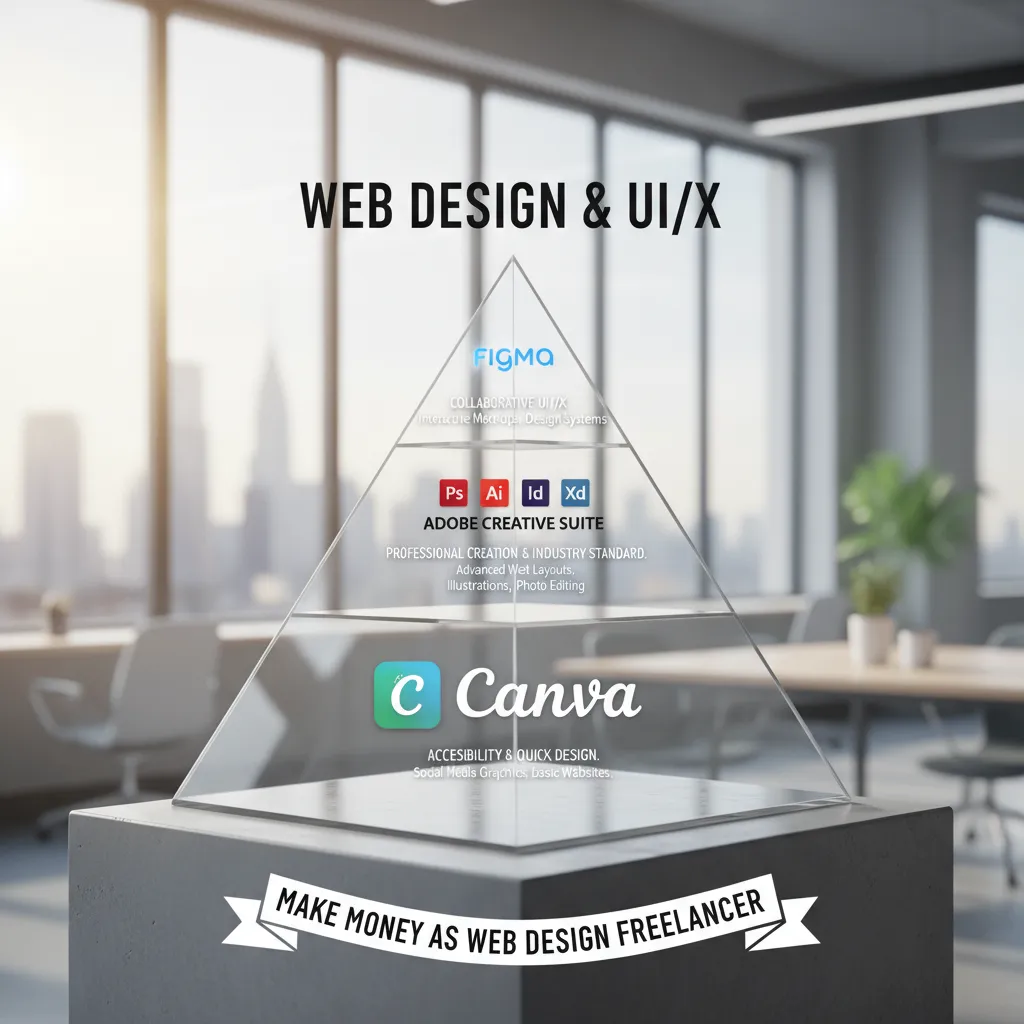
The “Big Three” Ecosystems (Start Here)
When people ask me, “What should I learn first?”, I always tell them it depends on the job they want. However, the industry has consolidated around three massive players. If you master these, you cover 99% of job requirements.
1. The Quick-Start King: Canva
A few years ago, professional designers scoffed at Canva. Today, ignoring it is a career liability. It has become the Google Docs of design—essential for speed, collaboration, and non-designer workflows.
Canva is no longer just for birthday cards. With the integration of “Magic Studio” AI features, it’s a productivity beast. I use it personally when I need to turn a deck around in an hour rather than a day. The learning curve is virtually non-existent, which is why it’s the perfect entry point.
However, be careful. While Canva’s research indicates that 91% of leaders say visual communication boosts efficiency, relying only on Canva limits you. It relies on templates. To be a true designer, you eventually need to create from scratch.
2. The Collaborative Powerhouse: Figma
If you are interested in User Interface (UI) design, web design, or app design, stop reading and download Figma. This isn’t just a suggestion; it is the industry mandate.
According to SQ Magazine’s 2025 projections, Figma holds a commanding 40.65% market share in the design tool category, utterly eclipsing legacy tools like Adobe XD and Sketch.
Why the shift? It’s browser-based and multiplayer. I’ve been on calls where ten designers are working on the same file simultaneously. It feels like magic. In the past, we used a Mac-only tool called Sketch. But looking at the data, the decline is staggering. UXness’s 2024 UX Tools Survey reveals that Sketch usage has dropped to just 16% for wireframing, while Figma sits at 72%.
Verdict: If you want a job in tech or UI/UX, Figma is non-negotiable.
3. The Industry Standard: Adobe Creative Cloud
Despite the rise of Canva and Figma, Adobe remains the heavyweight champion for pure image manipulation and illustration. When you need to retouch a photo pixel-by-pixel or create a vector logo that scales to the size of a billboard, you go to Adobe.
Photoshop: The gold standard for raster (pixel-based) images.
Illustrator: The gold standard for vector (math-based) graphics.
Financially, Adobe is stronger than ever. Adobe’s Q3 2024 Earnings Report showed a record revenue of $5.41 billion. This matters to you because it ensures that the software will be supported, updated, and required by agencies for the next decade. Learning Adobe is an investment in a skill set that won’t expire next year.
Essential Free & Open Source Alternatives
I get it—Adobe Creative Cloud is expensive. If you are a student or on a tight budget, you shouldn’t be locked out of creativity. In my early days, I couldn’t afford a subscription, so I turned to open source. Here are the best free alternatives for 2025.
Inkscape (The Free Illustrator)
Inkscape is a robust vector editor. It can do 80% of what Illustrator does, entirely for free. The interface looks a bit dated—reminds me of Windows 98 sometimes—but the math under the hood is solid. It’s perfect for logo design and scalable graphics.
GIMP (The Free Photoshop)
GIMP (GNU Image Manipulation Program) is powerful but notorious for its steep learning curve. It doesn’t hold your hand. However, if you learn GIMP, transitioning to Photoshop later is actually quite easy because the core concepts of layers and masking are identical.
Krita (The Digital Painter’s Choice)
If your goal is digital painting or illustration (think anime, concept art, or comics), Krita is actually better than Photoshop in many regards. It’s built specifically for brushwork.

The 2025 AI Revolution: New Tools You Must Know
You might be worried that AI is going to replace designers. I hear this concern from beginners constantly. Let me reassure you: AI is not replacing designers; designers who use AI are replacing designers who don’t.
— Kelly Monahan, Managing Director of Upwork Research Institute (March 2024)
Adobe Firefly & Generative Fill
Integrated directly into Photoshop, this allows you to expand images or add objects just by typing. It turns a 2-hour editing job into a 2-minute task. Shantanu Narayen, CEO of Adobe, noted in their September 2024 earnings call that these AI integrations are driving massive adoption. You must learn to “prompt” as part of your design process.
MidJourney
For ideation, MidJourney is currently unbeatable. It creates high-fidelity images from text. I use it to generate mood boards. Instead of spending hours searching for “cyberpunk city neon rain,” I generate it in seconds to show a client the vibe before I design the actual asset.
Hardware Essentials for Beginners
Software doesn’t run on hopes and dreams. You need hardware that can handle the load. In 2025, the demands of AI features mean your old laptop might struggle.
The Minimum Specs
Don’t buy anything with less than 16GB of RAM. With a browser open (Figma), Photoshop running, and Spotify playing, 8GB will crash. Trust me, I’ve lost unsaved work that way, and it is heartbreaking.
Drawing Tablets: Wacom vs. iPad
Do you need a drawing tablet? If you are doing photo retouching or illustration: Yes. attempting digital painting with a mouse is like trying to write your name with a bar of soap.
- Wacom Intuos: The industry standard for connecting to a PC/Mac. Rugged, reliable, no batteries to charge.
- iPad + Apple Pencil: With the iPad Pro, this has become a legitimate professional tool. It allows you to design on the go.
How to Choose: A Decision Framework
Still not sure where to start? I’ve broken this down based on career trajectory and budget.
| Tool | Best For | Learning Curve (1-10) | Career Value |
|---|---|---|---|
| Canva | Social Media, Marketing, Speed | 2 (Very Easy) | High for General Office Roles |
| Figma | UI/UX, Web Design, Apps | 6 (Medium) | Highest for Tech Jobs |
| Photoshop | Photo Editing, Manipulation | 8 (Steep) | Essential for Creative Agencies |
| Illustrator | Logos, Branding, Vectors | 9 (Very Steep) | Essential for Branding |
| MidJourney | Ideation, Concepting | 5 (Prompt Engineering) | Rapidly Increasing |
Note the “Career Value” column. Upwork’s 2024 data ranked Graphic Design as the #1 most in-demand skill for freelancers. The demand is there, provided you pick the tool that matches the client’s need.
Frequently Asked Questions
Is Figma free for beginners?
Yes! Figma offers a very generous “Starter” plan. You can create unlimited files in your drafts and have 3 collaborative files. It is more than enough to learn the software and build a portfolio.
Should I learn Photoshop or Illustrator first?
This is a classic debate. In my experience, if you want to make logos or t-shirt designs, learn Illustrator (Vectors). If you want to edit photos or create digital art, learn Photoshop (Raster). If you are undecided, start with Photoshop; it’s slightly more intuitive for most people.
Can I get a design job knowing only Canva?
It depends on the job. For a Social Media Manager role? Absolutely. For a “Graphic Designer” role at an agency? Likely not. Agencies require the flexibility of Adobe or Figma. However, knowing Canva is a great “foot in the door” skill.
Conclusion
The year 2025 is an exciting time to enter the design world. The barriers to entry are lower than ever thanks to tools like Canva and Figma, but the ceiling for creativity is higher thanks to AI.
If I were starting today with zero dollars, I would download Figma (free) to learn layout and GIMP (free) to learn image manipulation. If I had a budget, I would subscribe to the Adobe Creative Cloud immediately.
But remember: The tool doesn’t make the designer. The tool speeds up the journey. The Pantone Color of the Year for 2025 (Mocha Mousse) looks beautiful whether it’s painted on canvas or selected in a hex-code picker in Figma. Your taste and your eye are what truly matter—the software is just how you get it out of your head.
Start downloading, and start creating.